


Theme and color
Choose light, dark or system mode, a palette and an accent color, and tune hue, saturation and dark lightness. Pick a pure black or white canvas, or a tinted one.
Customization
You spend hours here, so bycoda lets you shape it: theme, color, background, type, motion, layout and shortcuts, previewed live on your real workspace.
Choose light, dark or system mode, a palette and an accent color, and tune hue, saturation and dark lightness. Pick a pure black or white canvas, or a tinted one.
Stack window glass, a color gradient, your own image and an animated live scene such as aurora, silk, dot grid or code rain, each with its own strength.
Change interface scale, fonts and code theme, hide Tasks, Automations, Inbox, Notes or Social Media, set your own shortcuts and choose which crew characters appear.
Pure black canvas, no live background and only the coding tools in navigation.
Raise the interface scale and pick a larger font for long sessions.
A subtle aurora behind a tinted dark theme with your accent color.
Window glass needs a restart on Windows and macOS. Live backgrounds use the GPU; turn them off or reduce motion whenever you prefer a still workspace.
Yes. Preview in app turns Settings into a side panel so you see changes on the real workspace.
English, Turkish, German, French, Spanish, Portuguese, Simplified Chinese and Japanese, or your system language.
Yes. Tasks, Automations, Inbox, Notes and Social Media can be hidden in Settings → Workspace.
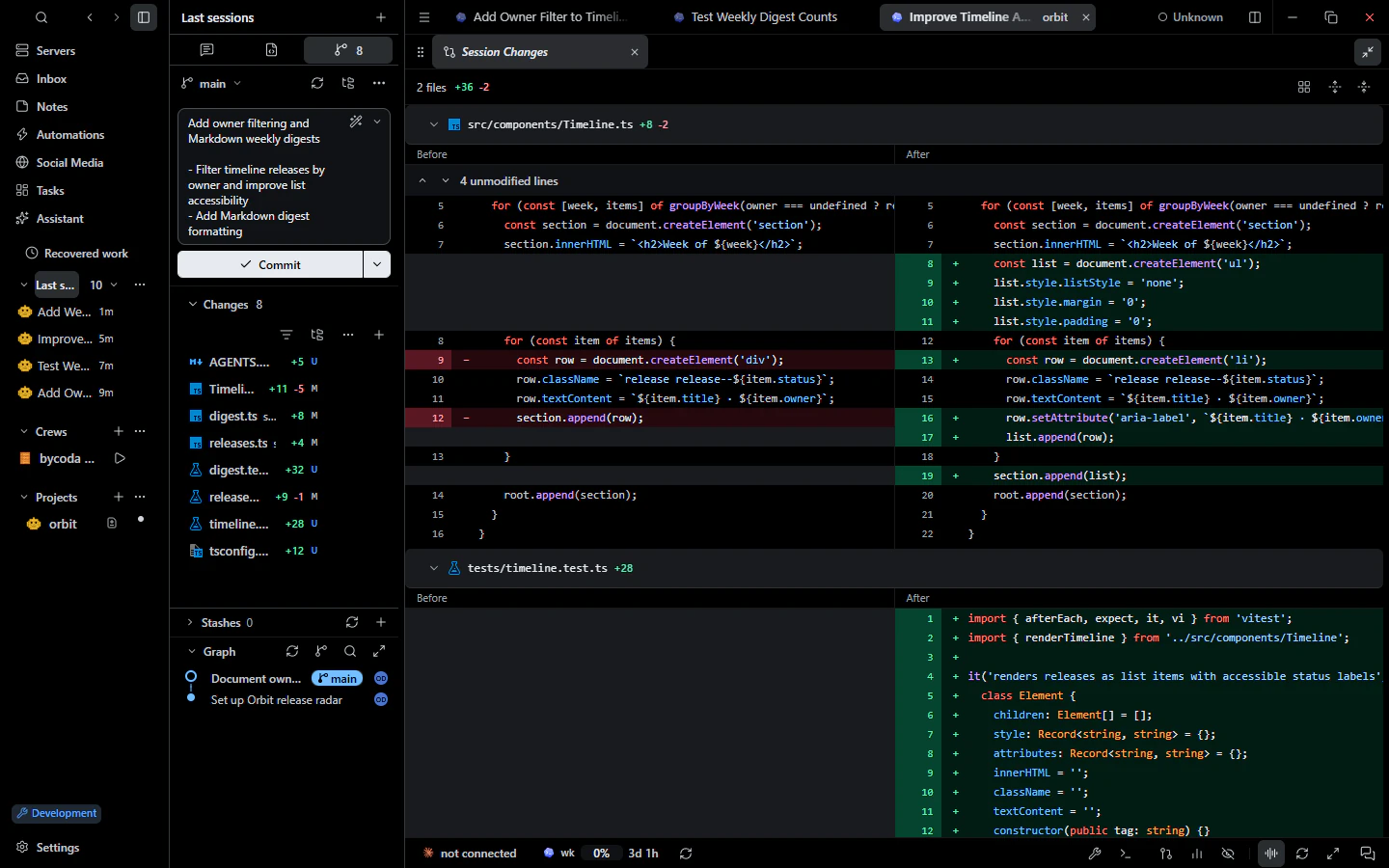 Git & reviewDiff review, staging, AI commit messages, graph, blame, worktrees, conflicts and PR checks.
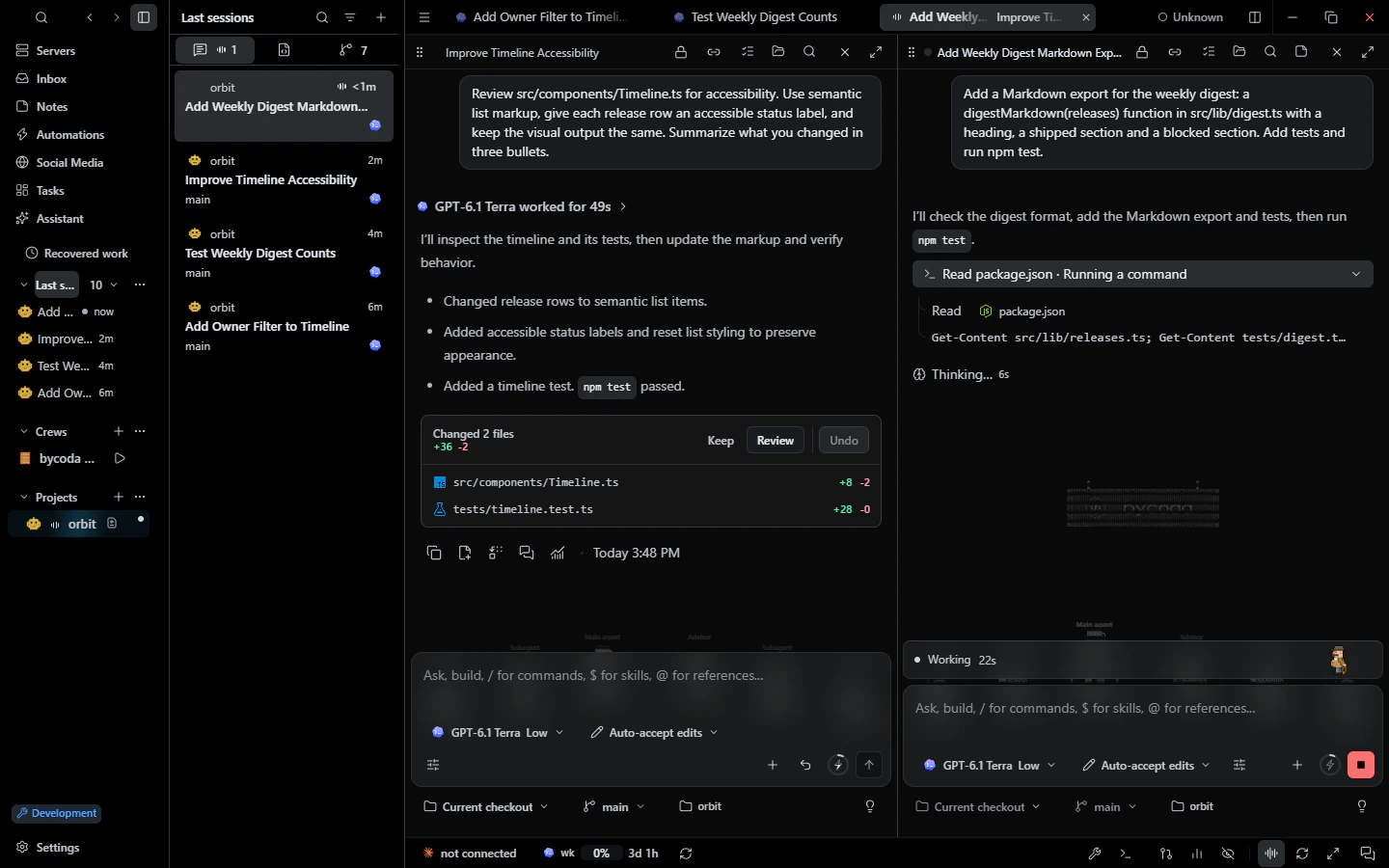 Parallel sessionsParallel agent conversations per project, split panes, drafts, a message queue and recovery.
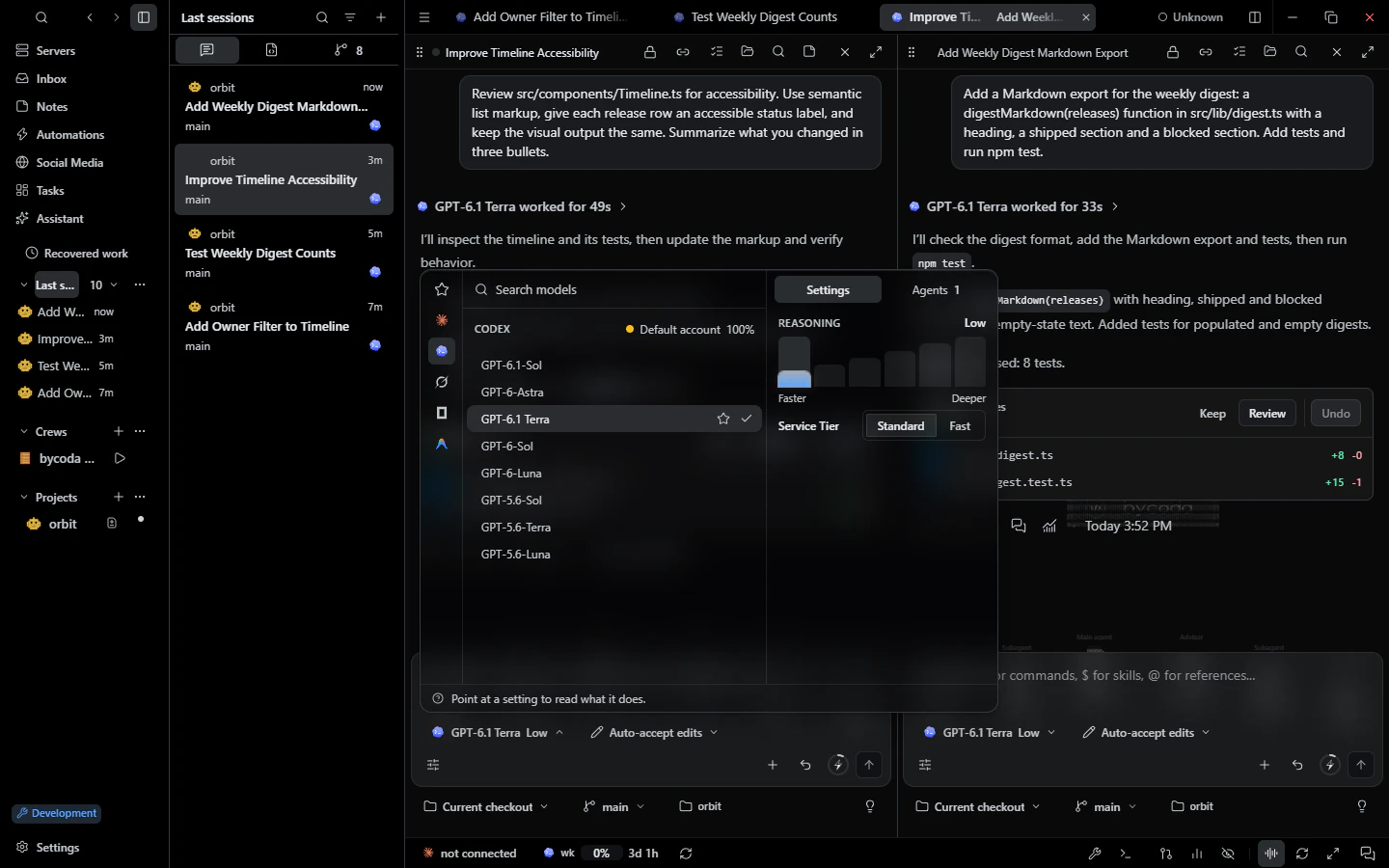 Models & accountsPer-session model, effort and permission mode with your own provider accounts and usage budgets.

bycoda is free, open source and in beta for Windows x64 and Apple Silicon Macs. Bring the agent accounts you already use.
Desktop packages for this release are available for Windows x64 and Apple Silicon macOS.