


Add a machine with user@host
Enter user@host or an SSH config alias. bycoda installs a verified host package as a background service, pairs it with your desktop and opens a private SSH forward.
Remote machines
Connect a build box, a Mac mini or a cloud VM over SSH. Open its folders as projects and run agents there with the same composer and Git tools.
Enter user@host or an SSH config alias. bycoda installs a verified host package as a background service, pairs it with your desktop and opens a private SSH forward.
Sessions run on the remote machine with the same composer, model picker and permission modes. Browse and edit files, review Git changes, branches and worktrees. Closing your laptop does not stop the remote session.
Keep SSH terminal targets in Servers and connect in one click. Share a dev server through ngrok or Cloudflare Quick Tunnels with a link and QR code.
Run an agent on a powerful Linux box while you work from a laptop.
Open a project on a Mac mini to use its iOS simulator.
Share a local preview with a teammate's phone through a QR code.
Remote access is experimental. SSH must already be reachable, and each agent must be installed and signed in on the remote machine. Remote projects do not support terminals, skills or @ file mentions yet.
Windows 10/11 or Server 2019+, Linux with systemd user services, and macOS on x64 or arm64.
No. Sessions keep running on the host; you reconnect to them.
Only after you approve the exact server and command in a native prompt, unless you choose full access.
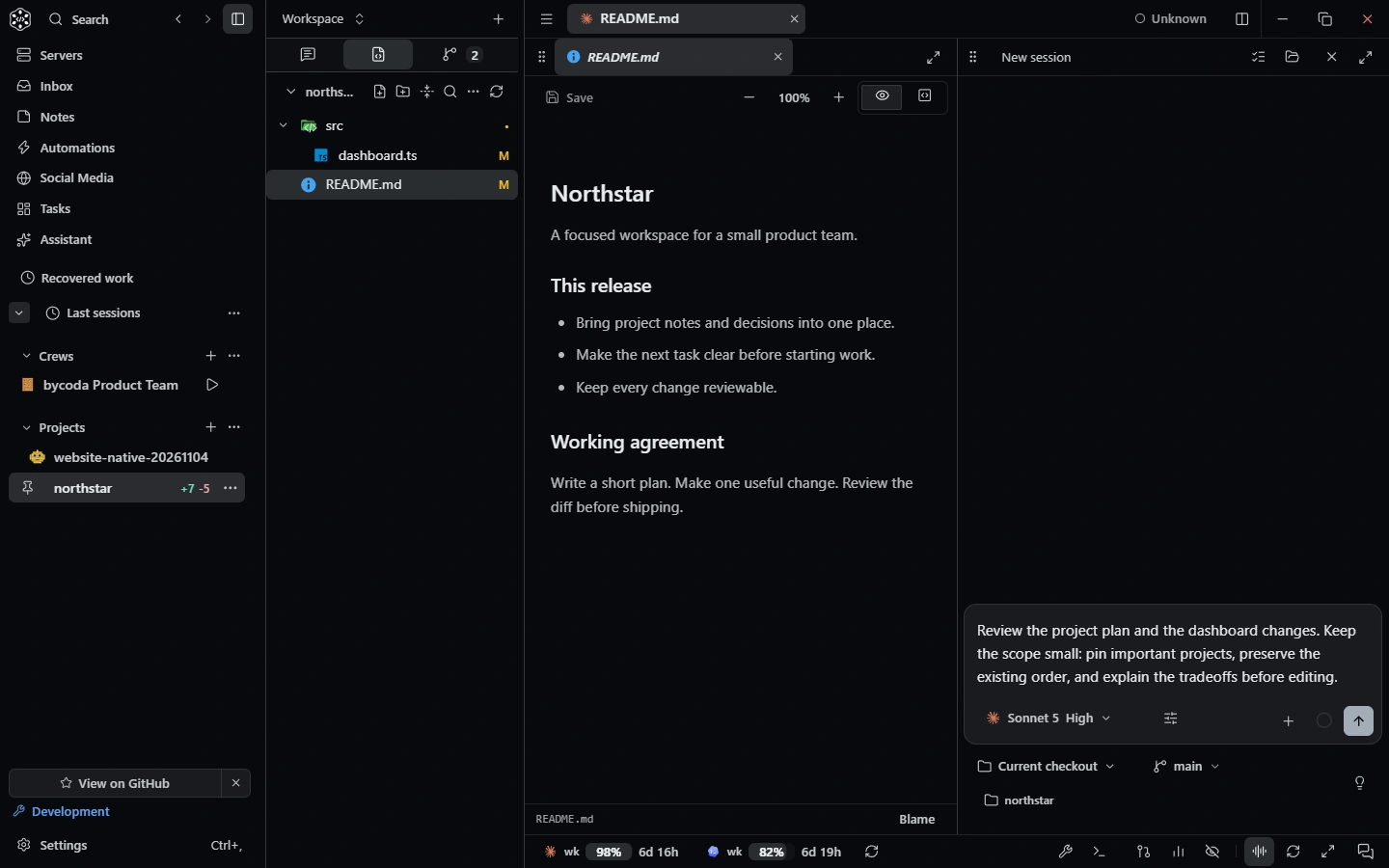 Conversation toolsBrowser, devices, dev servers, terminals, files, Git, tasks and notes as agent tools, plus MCP and skills.
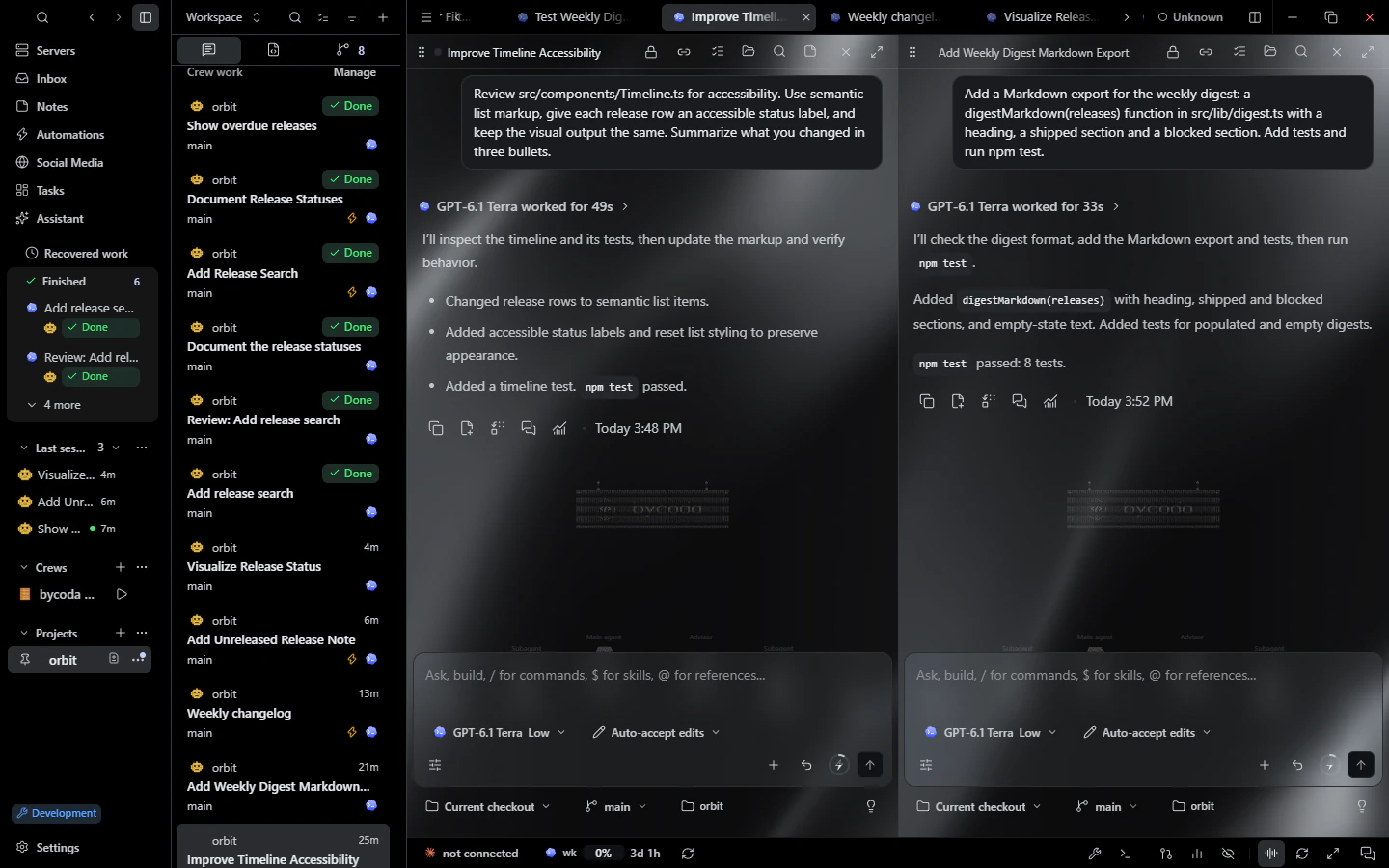 CustomizationThemes, palettes, glass, gradient and image backgrounds, live scenes, scale, fonts and shortcuts.
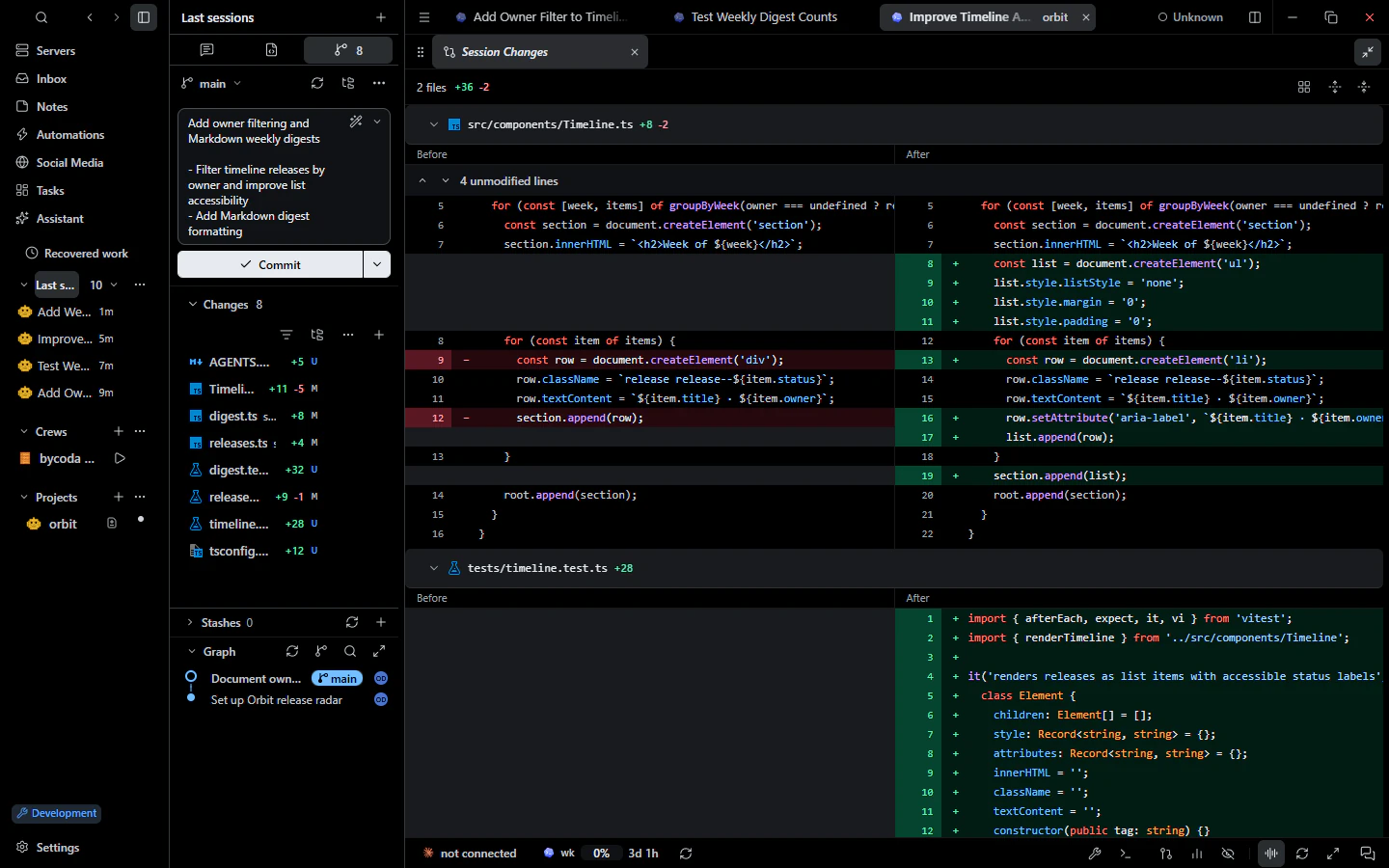 Git & reviewDiff review, staging, AI commit messages, graph, blame, worktrees, conflicts and PR checks.

bycoda is free, open source and in beta for Windows x64 and Apple Silicon Macs. Bring the agent accounts you already use.
Desktop packages for this release are available for Windows x64 and Apple Silicon macOS.