


A companion that knows your sessions
The voice companion can read the state of the active or a chosen session, send your request to it as work, and stop work you explicitly ask it to stop. Closing voice never stops coding work.
Voice
Ask what a session is doing, send it new work or stop it with your voice. Dictate long prompts straight into the composer. Recognition runs on your computer by default.
The voice companion can read the state of the active or a chosen session, send your request to it as work, and stop work you explicitly ask it to stop. Closing voice never stops coding work.
In Local mode Faster Whisper recognizes speech on your computer and the session's provider writes the reply. Grok Voice and OpenAI Realtime are optional cloud modes that reuse your Grok Build or Codex sign-in.
The microphone next to Send inserts recognized phrases at the cursor. Nothing is sent until you press Send, so you can edit the prompt first.
Ask “what is the test session doing?” without leaving the file you are reviewing.
Dictate a detailed bug report into the composer, tidy it up and send.
Keep audio on your machine while your own provider writes the replies.
Voice is off by default and the microphone opens only after you start it. Local setup downloads speech models that can take several gigabytes. Cloud modes send audio to the provider while they are on. Voice cannot approve sends or bypass permission prompts.
Not in Local mode: recognition runs on your computer. Grok Voice and OpenAI Realtime are cloud modes you choose explicitly.
Yes. Dictation is a separate setting and works on its own.
The spoken language can be automatic or fixed. Recognition quality varies by language and accent.
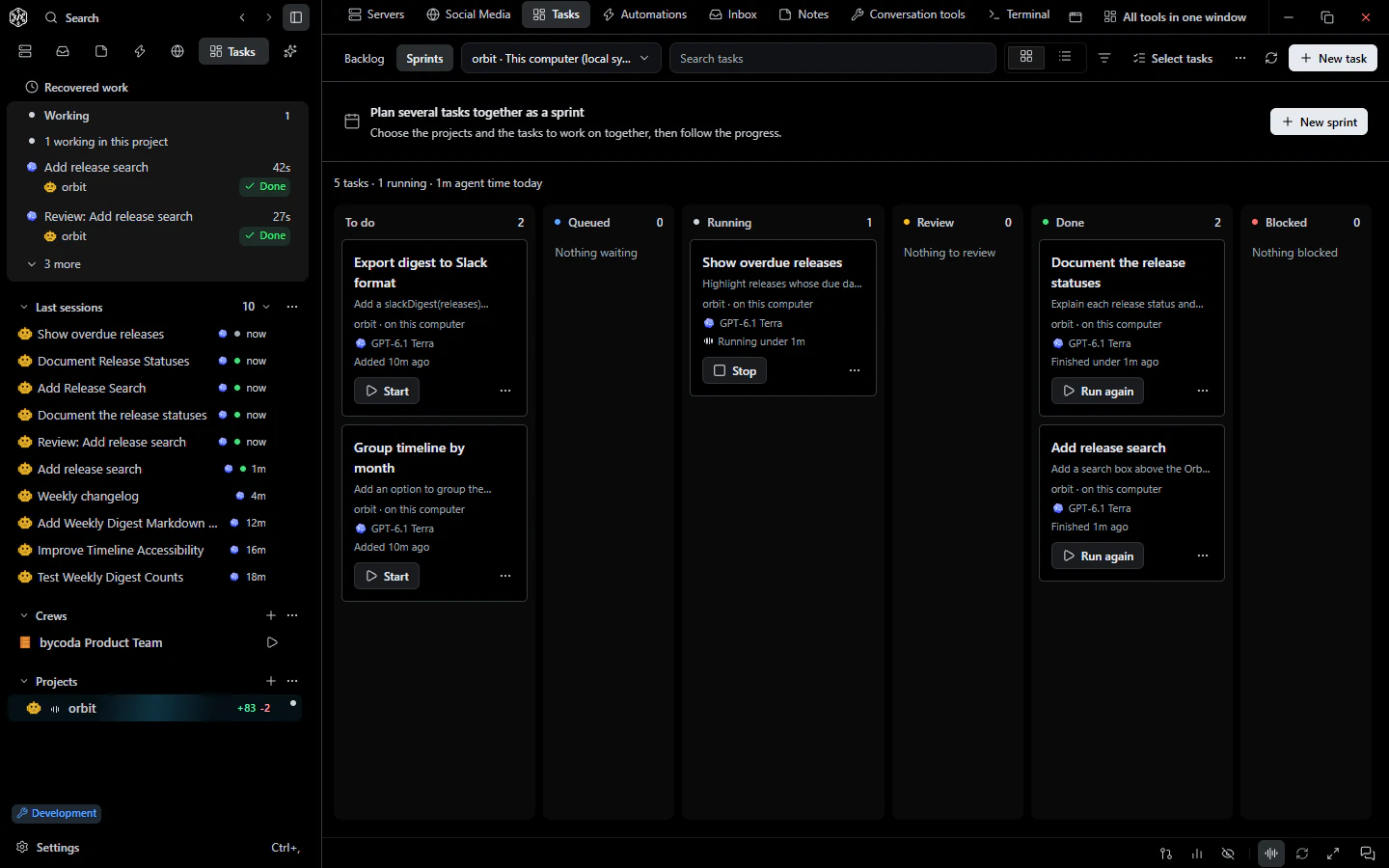 Tasks & goalsTasks with dependencies, machine and branch choice, independent review, goals, sprints and a Today view.
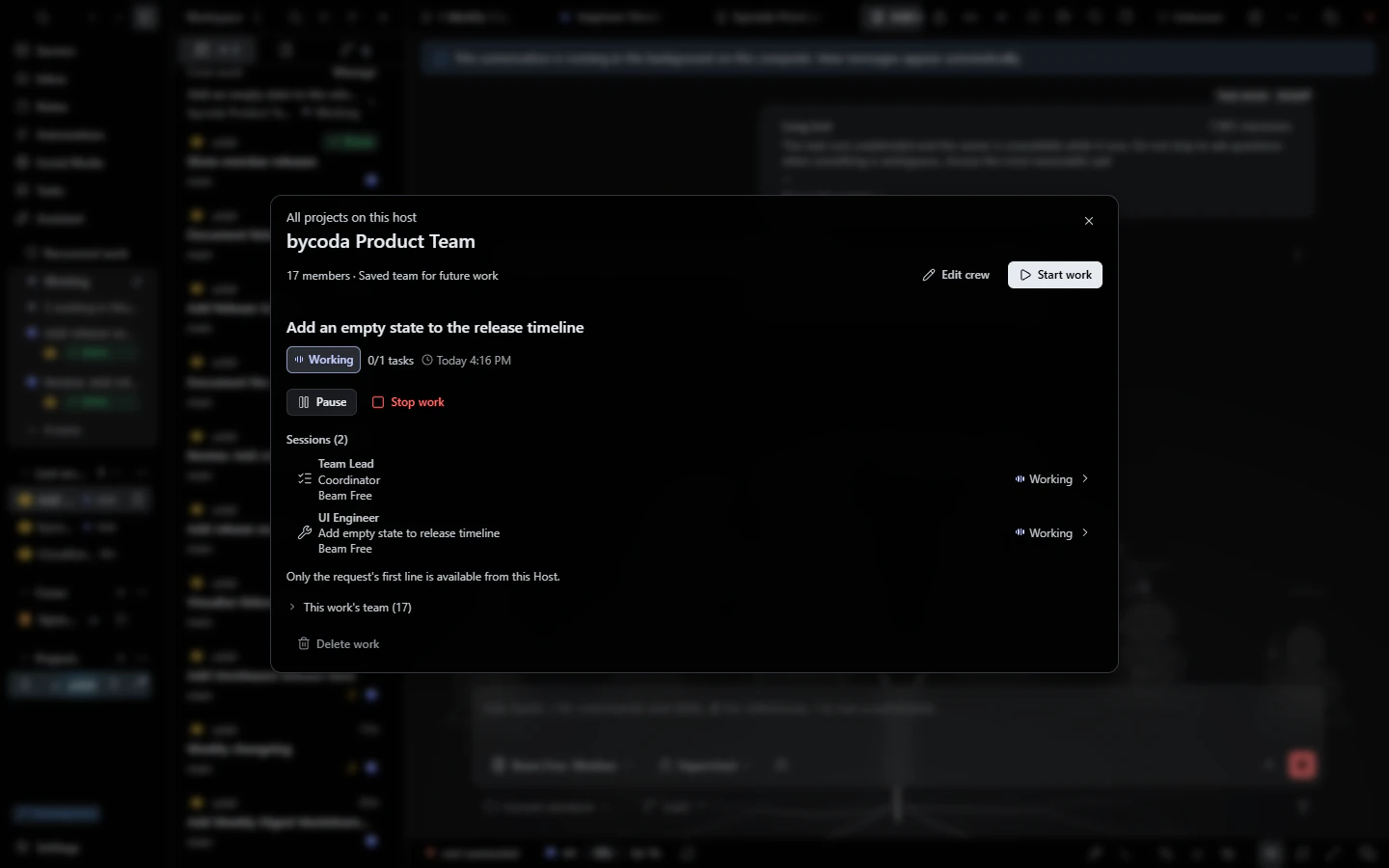 Agent crewsAgent teams with a coordinator, specialists and an independent reviewer, each with its own model.
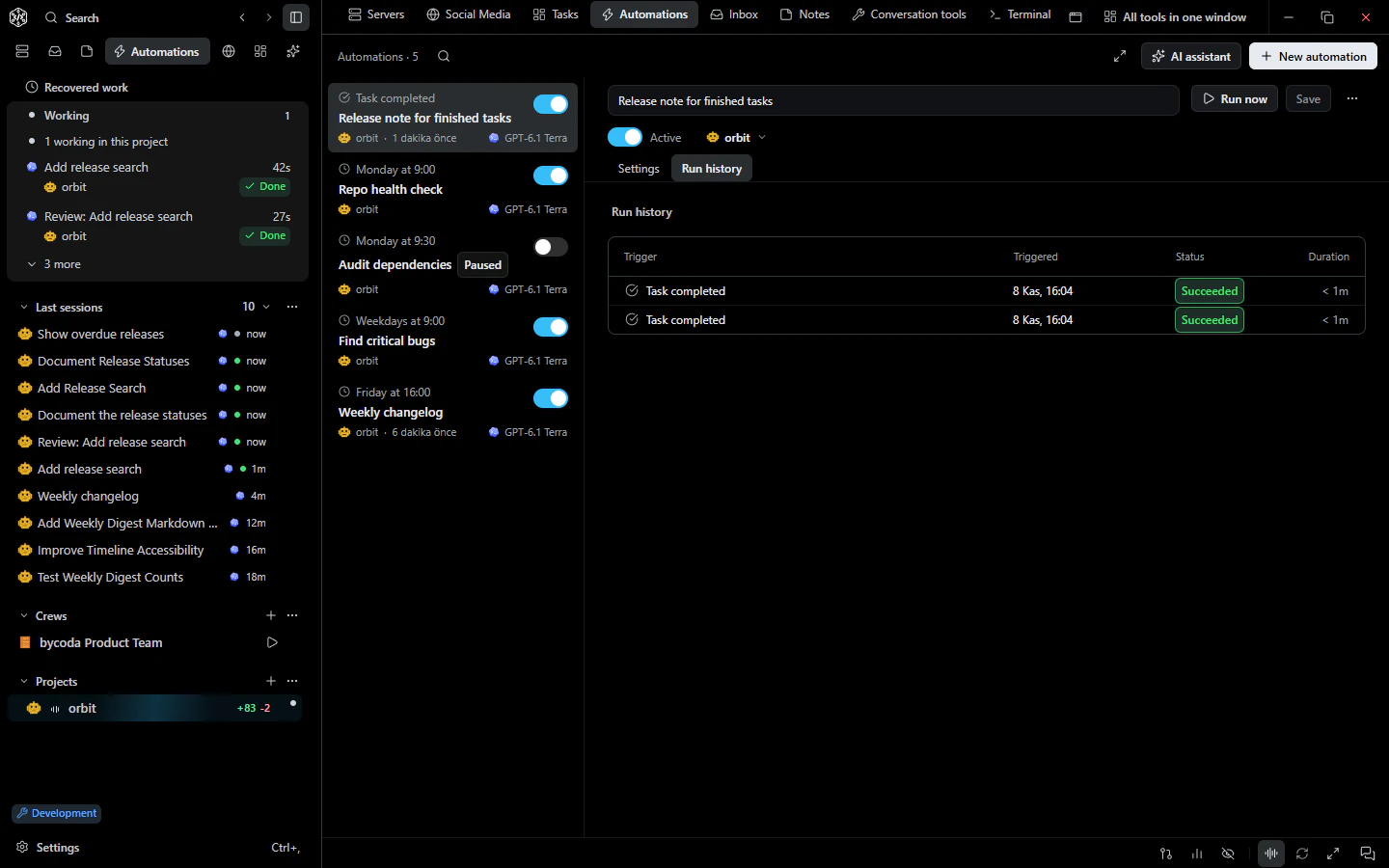 AutomationsScheduled and event-triggered agent runs with templates, history and limits.

bycoda is free, open source and in beta for Windows x64 and Apple Silicon Macs. Bring the agent accounts you already use.
Desktop packages for this release are available for Windows x64 and Apple Silicon macOS.